
← Back to all projects
PPE checks with computer vision
The need
« I want the dangerous workshop tools used only with PPE on »
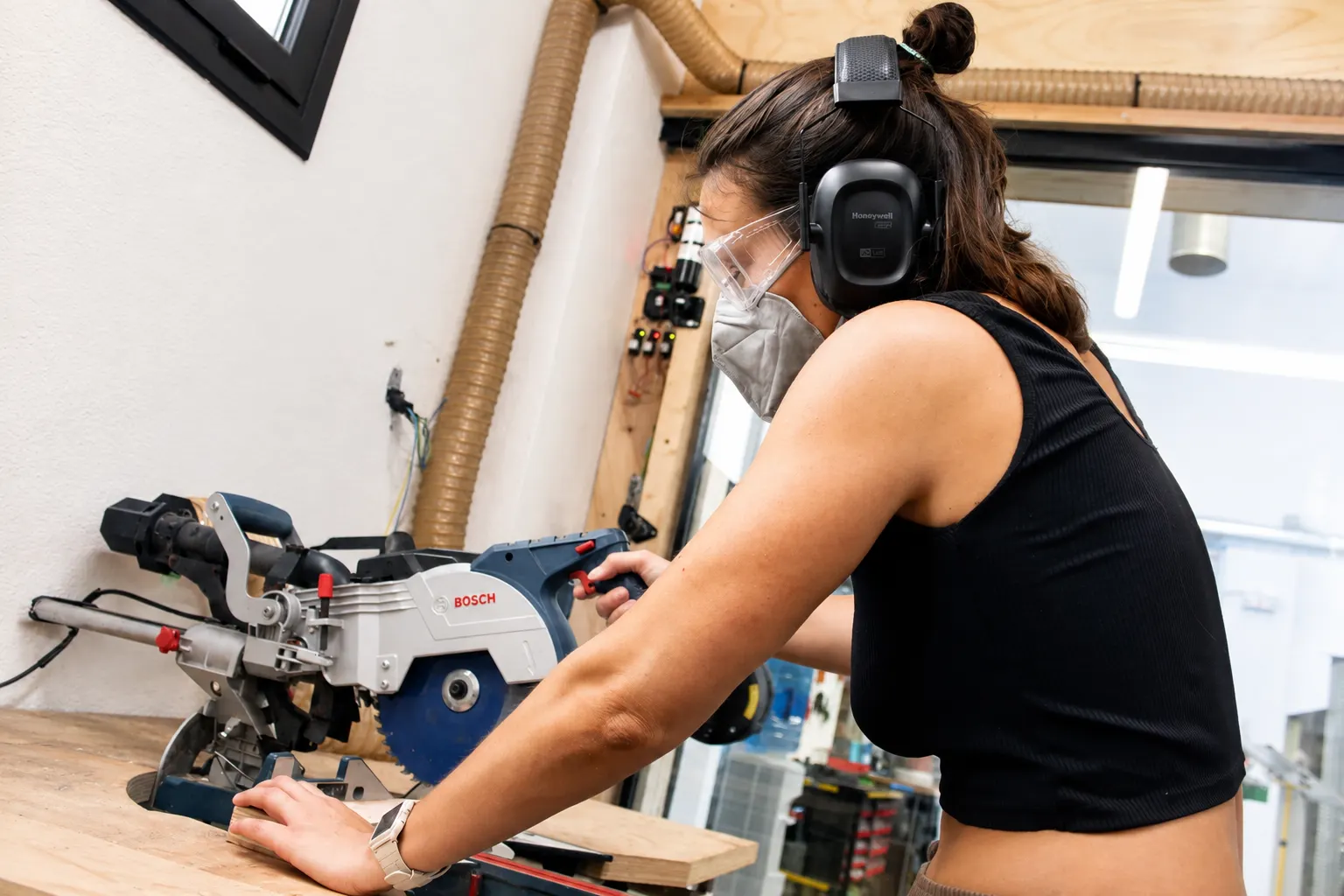
The saw is enabled only when the camera detects glasses, mask and hearing protectors
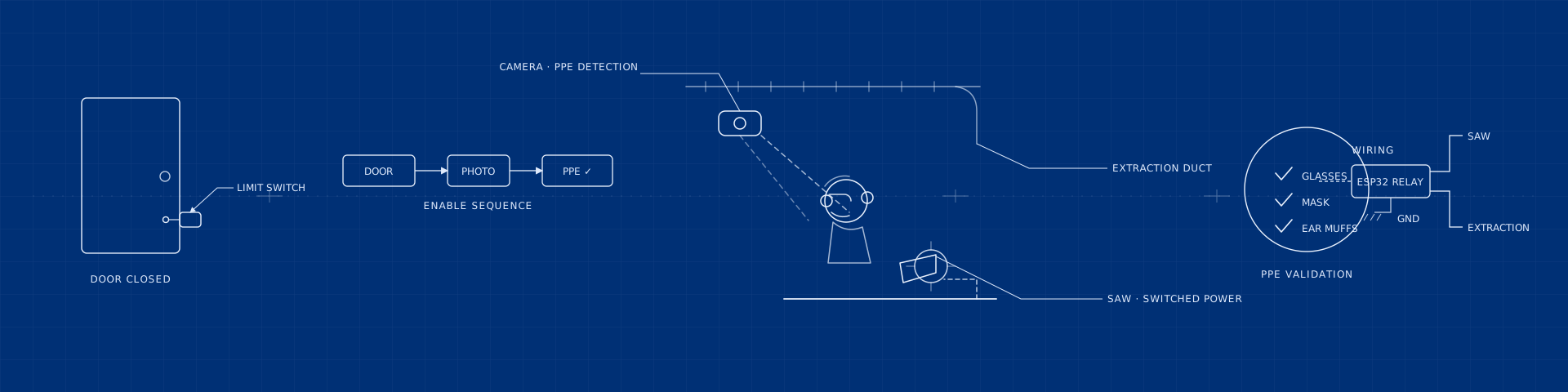
Before enabling the tool, the system checks the required PPE: safety glasses, an FFP2 mask and hearing protectors. Vento connects the camera, door sensor, vision model, ESP32 relay and status dashboard. When the cutting area closes, the camera checks all three items and, if it detects them, enables power to the saw and starts dust extraction.
How Vento helps
- 01Connects the door sensor, camera and ESP32 relay
- 02Runs the model that checks safety glasses, mask and hearing protectors
- 03Uses the result to enable or cut power to the tool
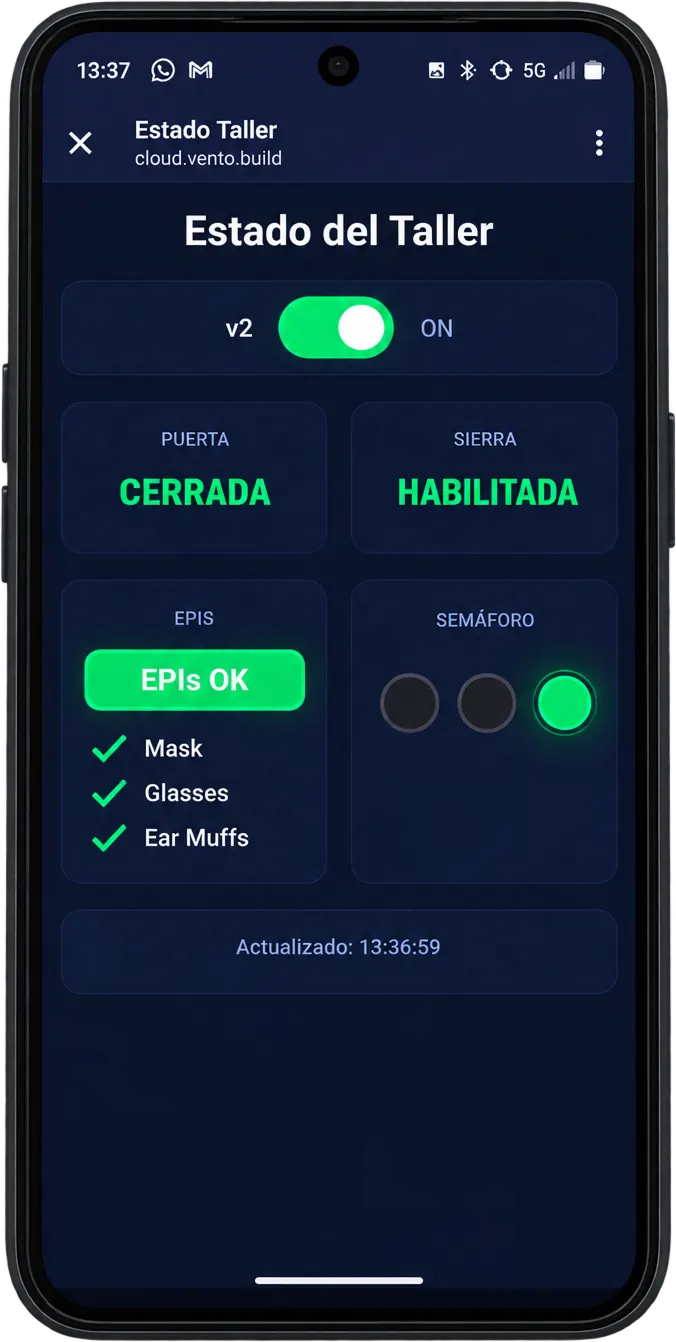
- 04Shows the door, PPE and saw state in a dashboard
How it works
01
Connect the door, camera and relay
Vento brings together the signals that determine when the check can begin.
02
Check PPE with computer vision
When the door closes, the camera captures an image and the model looks for the required glasses, mask and hearing protectors.
03
Enable the tool and show its state
The ESP32 controls the relay and the dashboard explains which condition is missing or whether the saw is enabled.
What's inside
- 01Camera over the cutting space
- 02Vision model that validates the PPE in the photo
- 03Relay with an ESP32 on the saw’s power line
- 04Limit switch on the door
- 05Dust extraction duct
- 06Status app with the three ticks and a traffic light
Highlights
- Power only flows once glasses, mask and ear muffs are validated
- The closed door triggers the photo and keeps dust and noise inside
- Extraction carries the dust away on startup
- The dashboard shows the door, PPE and tool state